Generic
Mini Bluetooth Mouse Rechargeable with TF Card Reader (Max 2TB),Great idea for Kids,Travel and Gift-Gray
Mini Bluetooth Mouse Rechargeable with TF Card Reader (Max 2TB),Great idea for Kids,Travel and Gift-Gray
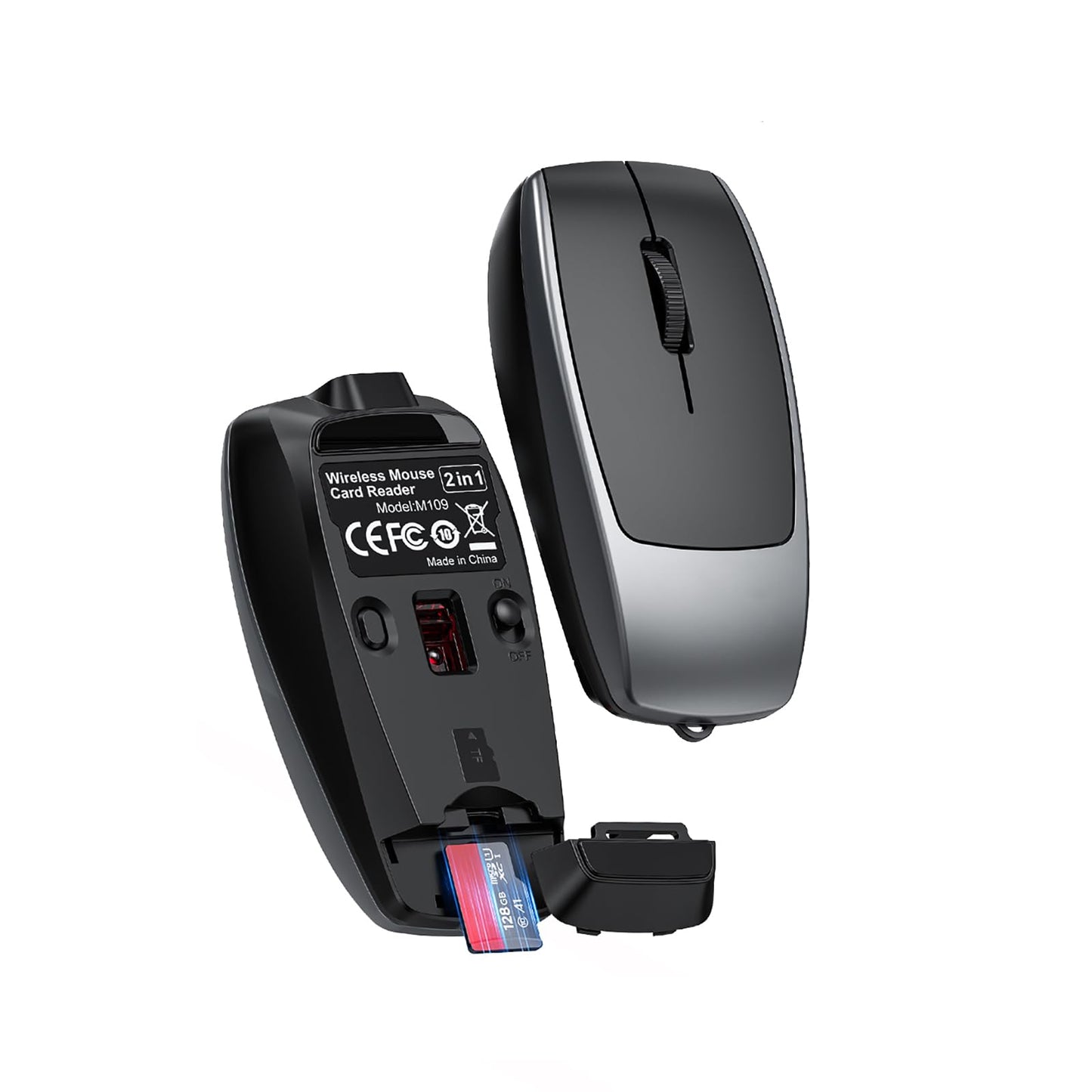
Product Spec: Connection Mode: BT5.1 Connection Chip: PixArt 3065 Resolution: 800/1200/1600 (short press the button to adjust the resolution,long press it to pair bluetooth mode) Number of Buttons: 4 Keys Voltage/Current: 5V/500mA Operating Distance: 10M Battery Capacity: 120mAh lithium battery Charging Cable(Data cable) Length: 20cm TF Card Read/Write Speed: 20MB/s (Supports up to 2TB capacity) Dimensions: 7.83.82.2cm Weight: 26g Packaged included: - 1 Mini Wireless Mouse - 1 USB-C to USB-C Cable (20cm) - 1 User Manual Led indicator Spec: 1.Data Transfer Indicator: Bluetooth indicator flashes during data transfer. 2.Charging Status: Steady green light during charging; light turns off when fully charged. 3.Low Battery Alert: Red light flashes when battery is low. How to use our product? 1. Wireless Connection: Step 1: Slide the power switch on the mouse bottom to ON. The Bluetooth indicator will light up blue and blink, entering pairing mode. Step 2: Enable Bluetooth on your device (tablet/PC/phone), navigate to BT settings, and connect to BT5.1Mouse. The blue light turns off once paired. Step 3: Move the mouse or click buttons to start using. Note: 1.If the device fails to detect BT5.1Mouse, press and hold the DPI switch (Bluetooth pair button) for 2-3 seconds to restart pairing. 2. TF Card Read/Write Step 1: Open the TF card slot cover at the mouse tail. Step 2: Insert the TF card into the slot following the directional guide. Step 3: Connect the mouse to a device (PC/tablet/phone) using our data-transfer-enabled Type-C cable. Step 4: The TF card indicator blinks rapidly during data transfer and stays lit once ready.
Share